 HushReply
Reply without moving your last seen.
Read the message in your notifications, answer from HushReply, and your contacts keep seeing the time you really left. No hidden timestamp, nothing that looks deliberate.
We keep your email only to tell you when HushReply launches, then delete it. No other messages, no sharing.
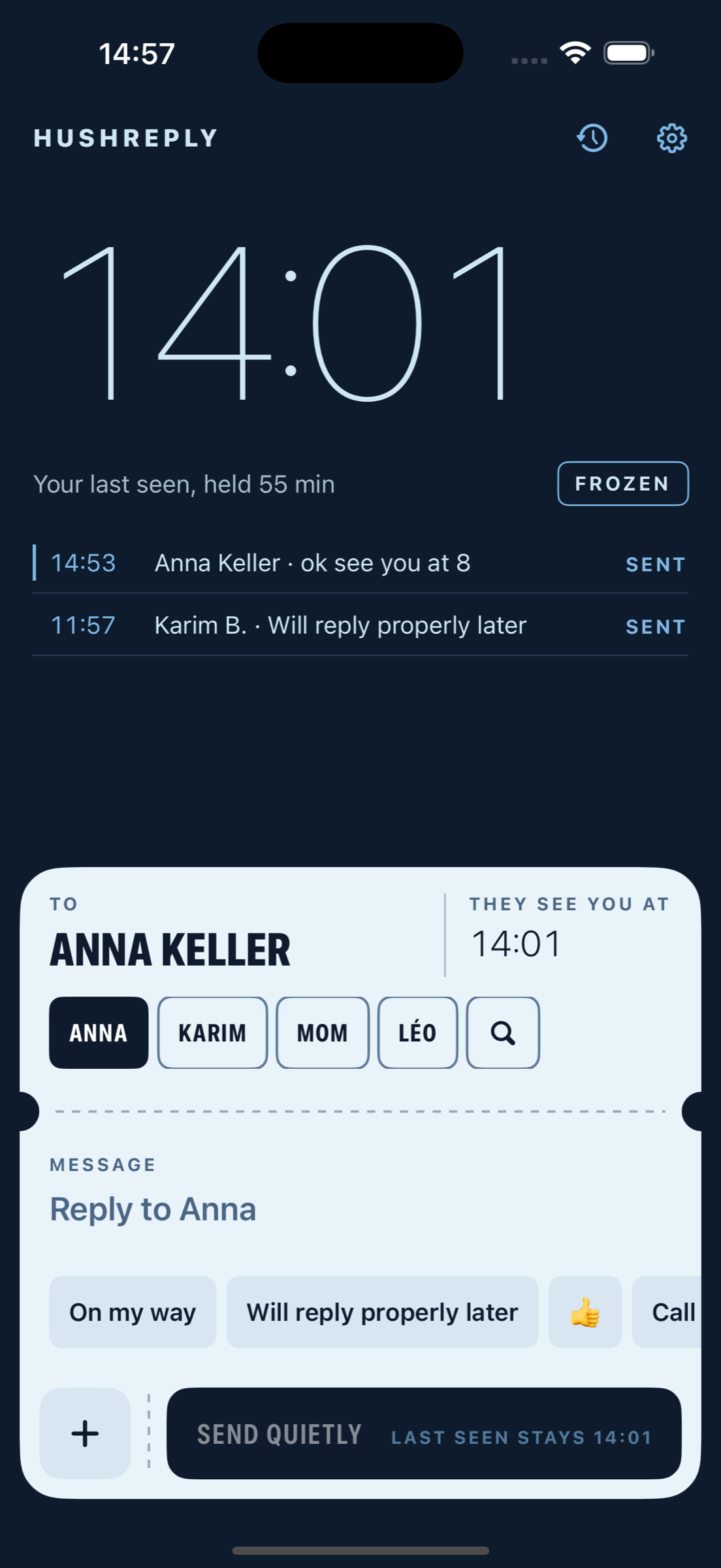
You opened this page at 14:01. Picture that as your last seen.
Held since you arrived
FrozenEvery reply you send from HushReply leaves it there. Your contacts see a normal, slightly old time, not a hidden one.
Three moves. The chat app never opens.
01Unread
Read it where it lands
The message arrives in your notifications. Read it there, don't tap it.
02Two taps
Answer in HushReply
Pick who from your recent people, type or tap a ready reply.
03Sent
Tear the stub
It sends through Apple Shortcuts or the share sheet, and comes back with a clear result.
Nothing leaves your phone except your reply.
Account to createNone
Server holding messagesNone
Login or QR scanNone
Sends throughShortcuts · share sheet